Winorio mobile – browser play and what works on a small screen
















Mobile at Winorio
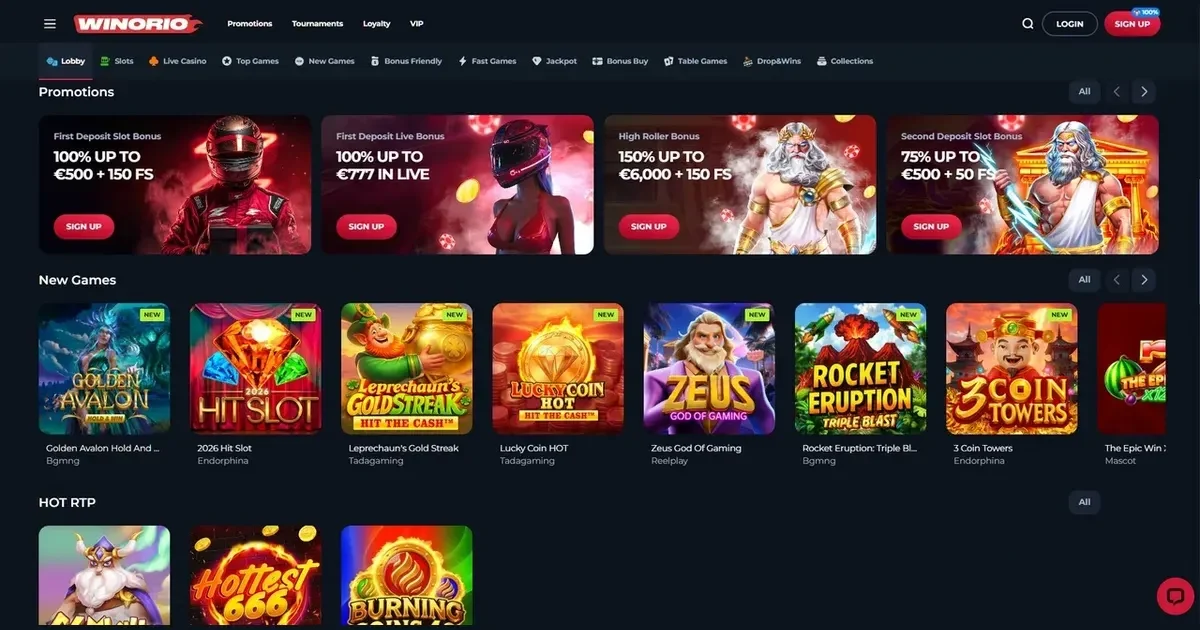
Winorio runs entirely in a mobile browser – no separate application to install. Open the site from your phone, sign in with your existing account, and the full platform loads as it does on a desktop. The layout adapts to the smaller screen; the games, cashier and support channels remain accessible throughout.
What follows covers how access works in practice, what a player can do from a phone, where mobile play shows its limits, and what to check before starting a session on a device you carry everywhere.
Playing from a phone – the browser route
Winorio publishes no native iOS or Android application. Mobile access means opening the operator's domain in Safari, Chrome, Firefox or any standards-compliant mobile browser. The steps are straightforward:
- Open your mobile browser and navigate to the operator's address.
- Tap the menu icon and select Sign In.
- Enter the username and password you created at registration – the same credentials work across devices.
- The lobby loads with the game library, cashier and account settings visible from the menu.
No store listing, no permissions request, no app size to worry about. The site itself handles the session, and closing the browser tab ends it cleanly.
Day-to-day use – what a player can do on mobile
The core functions transfer to a phone without major gaps. The game library carries the same 10,000+ slots and 1,500+ jackpot titles available on desktop – every provider Winorio names loads in a mobile browser, and the filters by category, studio and recent play work as expected.
The cashier opens from the main menu. Deposits via VISA, MasterCard and the listed cryptoprocessing options go through on a phone; the minimum of €20 applies identically. Withdrawal requests follow the same flow – select the method, enter the amount within the published limits (€50 minimum, daily cap of €5,000), and submit. The 48-hour processing window and the 5–7 banking days for bank transfers remain unchanged by the device.
Identity verification can be completed entirely on mobile. The operator asks for ID, payment systems and utility bills at any time – upload a photo or scan directly from the phone's camera. Video verification, where required, works through the browser without a separate app.
Support reaches the same channels. Email to the operator's published address works as it does from a desktop; VIP players access live chat 24/7 once they reach Rookie status by depositing €1,000 or accumulating 100 points per week.
Known limits – where mobile is worse than desktop
A smaller screen compresses the interface, and some elements suffer for it. The game lobby displays fewer tiles at once; scrolling through 10,000 slots on a 6-inch screen takes longer than scanning a desktop grid. The search bar and filters remain present, but switching between categories feels slower when each tap redraws the view.
Live dealer tables lose detail on a phone. The video feed scales down, and chat with the dealer or other players becomes harder to follow when the text window shares space with the game controls and your balance. The games function correctly – bets register, payouts arrive – but the immersion that makes live play distinctive gets diluted.
Multitasking becomes awkward. Checking bonus terms, calculating a wagering requirement or comparing withdrawal methods while a game is open means switching tabs or minimising the browser – and many mobile slots pause or reload when they lose focus. On a desktop, a second monitor or a split screen solves this; on a phone, you choose between playing and reading.
Battery drain is real. Live games and high-definition slots consume power faster than static pages, and a long session on mobile data instead of Wi-Fi drains the battery further still. A phone at 30% charge is not the device for a two-hour grind through a wagering requirement.
A short checklist before playing on mobile
Before you open the lobby from a phone, run through these practical points:
- Connection stability – mobile data on a train or in a crowded area drops packets, and a lost connection mid-spin can leave a round unresolved until you reconnect. Stick to Wi-Fi for anything beyond casual browsing.
- The operator's actual address – phishing sites targeting mobile users are common, and a fake login page on a phone is harder to spot than on a desktop with a full address bar. Bookmark the legitimate domain and use that link every time.
- Signing out on a shared device – a phone borrowed to a friend or family member, or left unlocked on a table, is an open session if you did not log out. Winorio's Terms state that the account holder is responsible for all activity; a tap from someone else counts as yours.
- Deposit and loss limits set in advance – the operator provides daily, weekly and monthly caps for deposits, losses and wagers, configured by contacting support. On a device you carry everywhere, the friction of requesting a limit increase is valuable. Set the caps before the session, not during it.
Responsible play on a device you always carry
A phone removes the natural boundary a desktop creates – the casino is no longer a place you go to, it is in your pocket at all times. That convenience is why mobile play works; it is also why deposit limits, loss caps and session timers matter more here than anywhere else.
Winorio offers deposit, loss, wager and time limits per day, week or month, set by emailing the support team. A phone makes it easy to deposit again after a loss; a pre-set cap makes it impossible until the period resets. Use the limits.
If gambling stops feeling like entertainment, free confidential support is available through BeGambleAware and the National Gambling Helpline on 0808 8020 133, available 24/7. GamStop provides free self-exclusion across all licensed UK sites, and blocking software such as Gamban or BetBlocker works on mobile as well as desktop.
This site is restricted to visitors aged 18 and over (18+). Parental control software such as Net Nanny or Qustodio can block access on devices shared with minors.
Disclaimer: This page is for information and marketing purposes only. We are not a casino operator, a bookmaker or an organiser of gambling. Access to this content is restricted to persons aged 18 and over (18+). We encourage you to gamble responsibly – for free, confidential support visit BeGambleAware.org.
Last updated:
Frequently asked questions
Does Winorio have a mobile app for iOS or Android?
Winorio does not publish a native application. Mobile access works through any browser – Safari, Chrome, Firefox – by navigating to the operator's site and signing in with your existing account.
Can I deposit and withdraw from my phone?
Yes. The cashier opens from the mobile menu, and deposits via VISA, MasterCard and cryptoprocessing go through as they do on desktop. Withdrawals follow the same process, with the €50 minimum and the published limits applying identically.
Do all games work on a mobile browser?
The full library of 10,000+ slots and 1,500+ jackpot games loads on mobile. Live dealer tables and table games function correctly, though the smaller screen compresses the video feed and game controls.
How do I set deposit limits on mobile?
Winorio's deposit, loss, wager and time limits are configured by contacting the support team via email. Once set, the limits apply to all sessions, mobile and desktop alike.
Game Providers